Add blood test booking to your website
Patients book a blood test on your website without leaving it. Paste one line of code into any website, use a button that opens the booking form, or share your booking link and QR code.
- One line of code
- Any website builder
- Your logo and colours
Try it: switch between the three
<div data-drawn-clinic="your-clinic"></div>
<script src="https://www.bookdrawn.com/embed/v1.js" async></script>The form sits on your own page, in your colours.
Three ways
Take bookings wherever patients find you
Use one, or all three. Every booking lands on the same day plan, the moment it's made.
A booking link
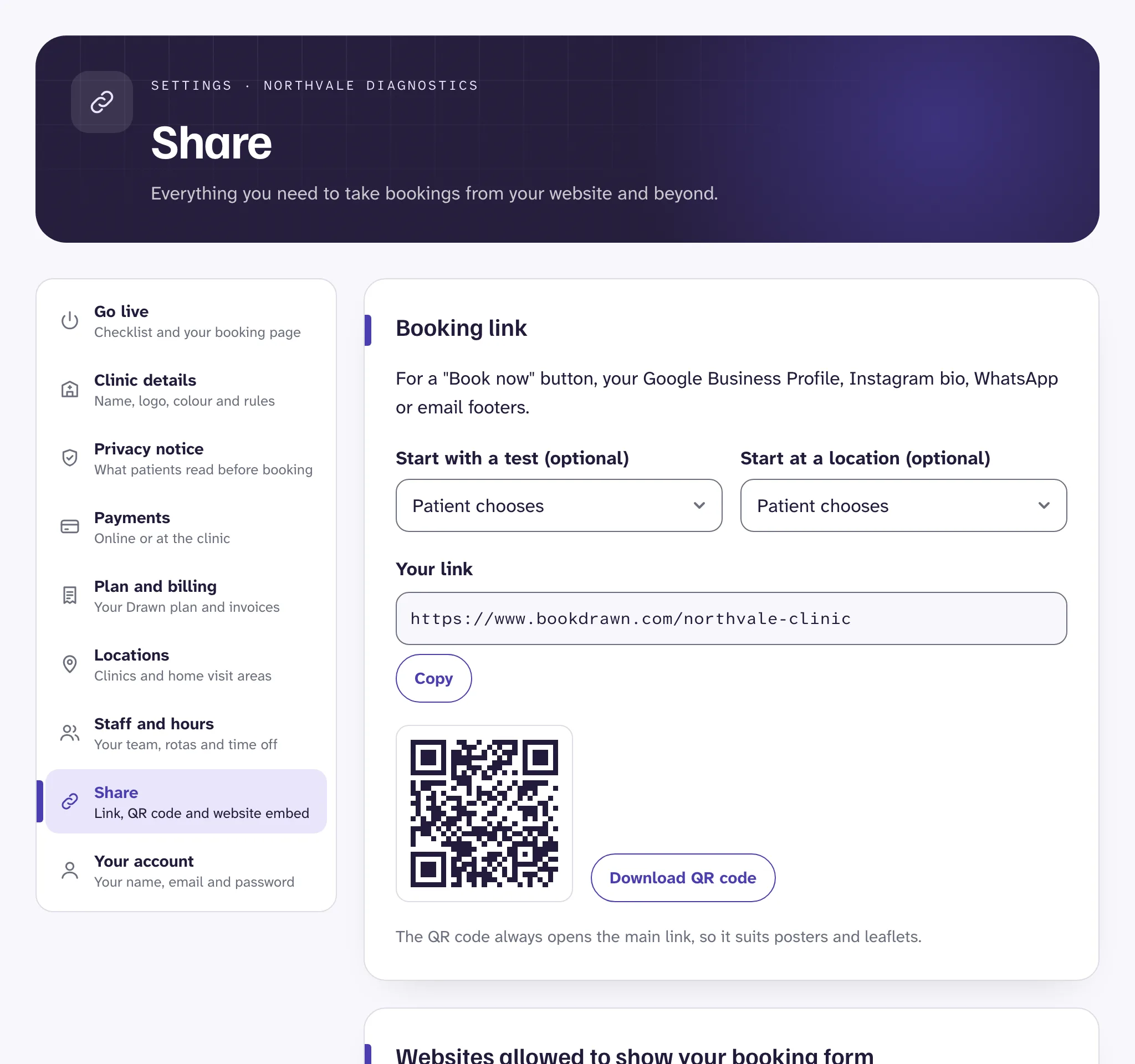
Your own booking page, ready for Google, Instagram, WhatsApp or a Book now button. It comes with a QR code for posters and your reception desk.In the page
The whole booking form sits inside a page on your website, and grows to fit, so there's never a scrollbar inside it.A button that opens it
A “Book a blood test” button in your brand colour opens the form over the page. Best for your home page, or a page about one test.
One line
How do I add booking to my website?
- List your website's address in Drawn, so the form only appears on your own site.
- Copy your code from Settings, then Share.
- Paste it into an HTML or code block on your website, and publish.
The full steps are in Add booking to your website.
<div data-drawn-clinic="your-clinic"></div>
<script src="https://www.bookdrawn.com/embed/v1.js" async></script>- WordPress
- Wix
- Squarespace
- Webflow
- Shopify
- Any HTML site
Exact steps for each builder are in WordPress, Wix and others.
The details
Booking that fits your site
Your brand, not ours
Your clinic's name, logo and colours. On Clinic and Group you can hide the small “Powered by Drawn”.Your own address
On Group, patients book at an address such as book.yourclinic.co.uk.Start on a test
Every test has its own link, and the embed can open with a test or a location already chosen.Count bookings
The form tells your page when a booking is made, with the reference only, for Google Analytics or another tool.Nothing private on your site
No patient details ever reach your website, and Drawn adds no trackers of its own.
In your dashboard
Everything to share, on one screen
Your link, your QR code, the embed and button code, and the list of websites allowed to show your form all live under Settings, then Share. See Booking link and QR code.
Questions
Questions clinics ask
Something else? Email director@hizmedia.com and a real person will reply.
Can I add Drawn to a Wix or WordPress website?
Yes. Paste your code into an HTML or code block. Drawn works on WordPress, Wix, Squarespace, Webflow, Shopify and any other site that lets you add HTML.
Do I need a developer?
No. If you can add a block to a page, you can add Drawn. If your website builder won't take code, use a button that links to your booking page instead.
Will the booking form look like part of my website?
It shows your clinic's name, logo and colours. The in-page form grows to fit, with no scrollbar inside it, and the popup button uses your brand colour.
Can I use my own domain for the booking page?
Yes, on the Group plan. Patients book at an address such as book.yourclinic.co.uk, and your main website stays as it is.
Take your first booking this afternoon
Sign up, add your tests and hours, and share your link. 14 days free, no card needed.