Your booking link#
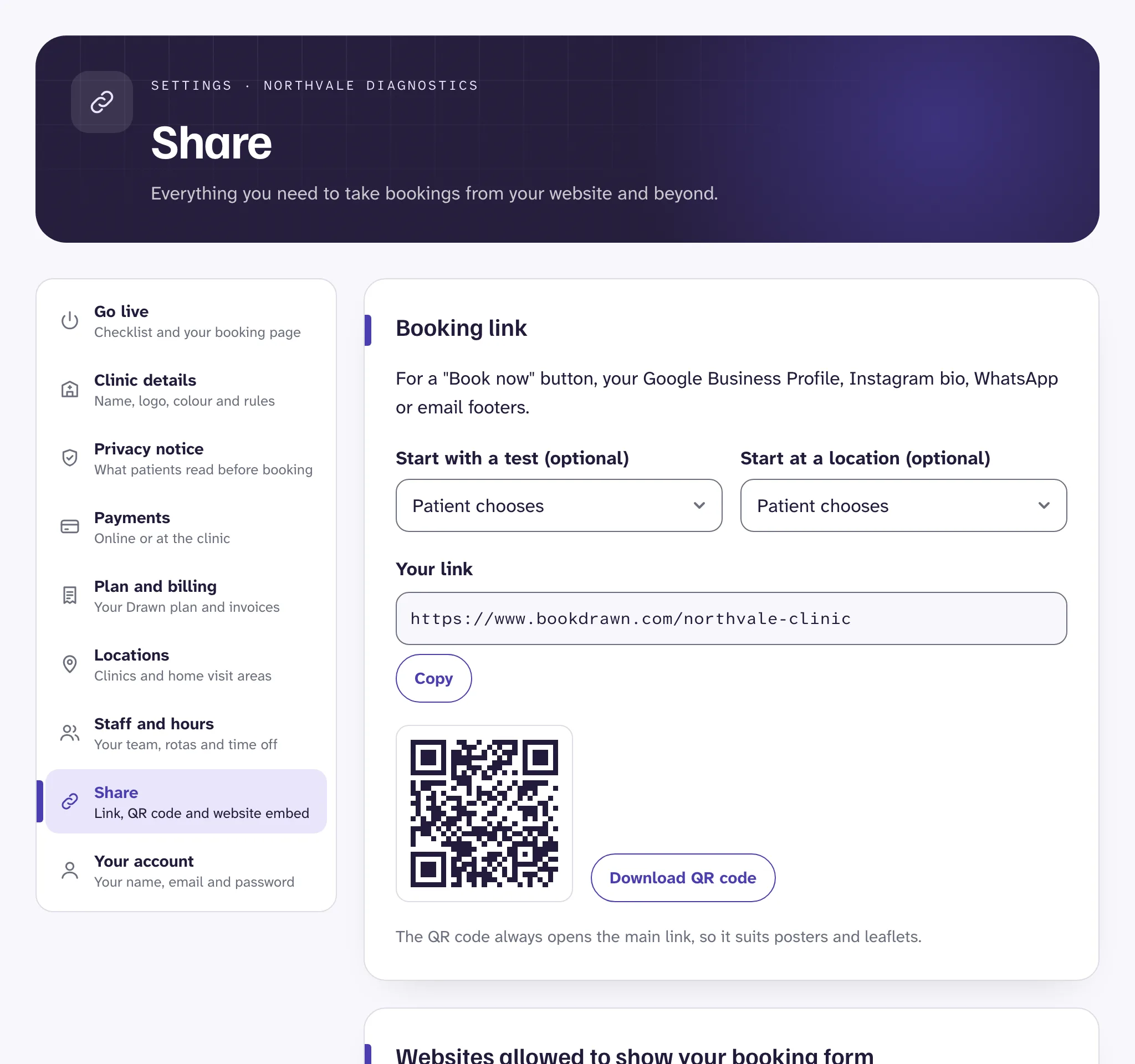
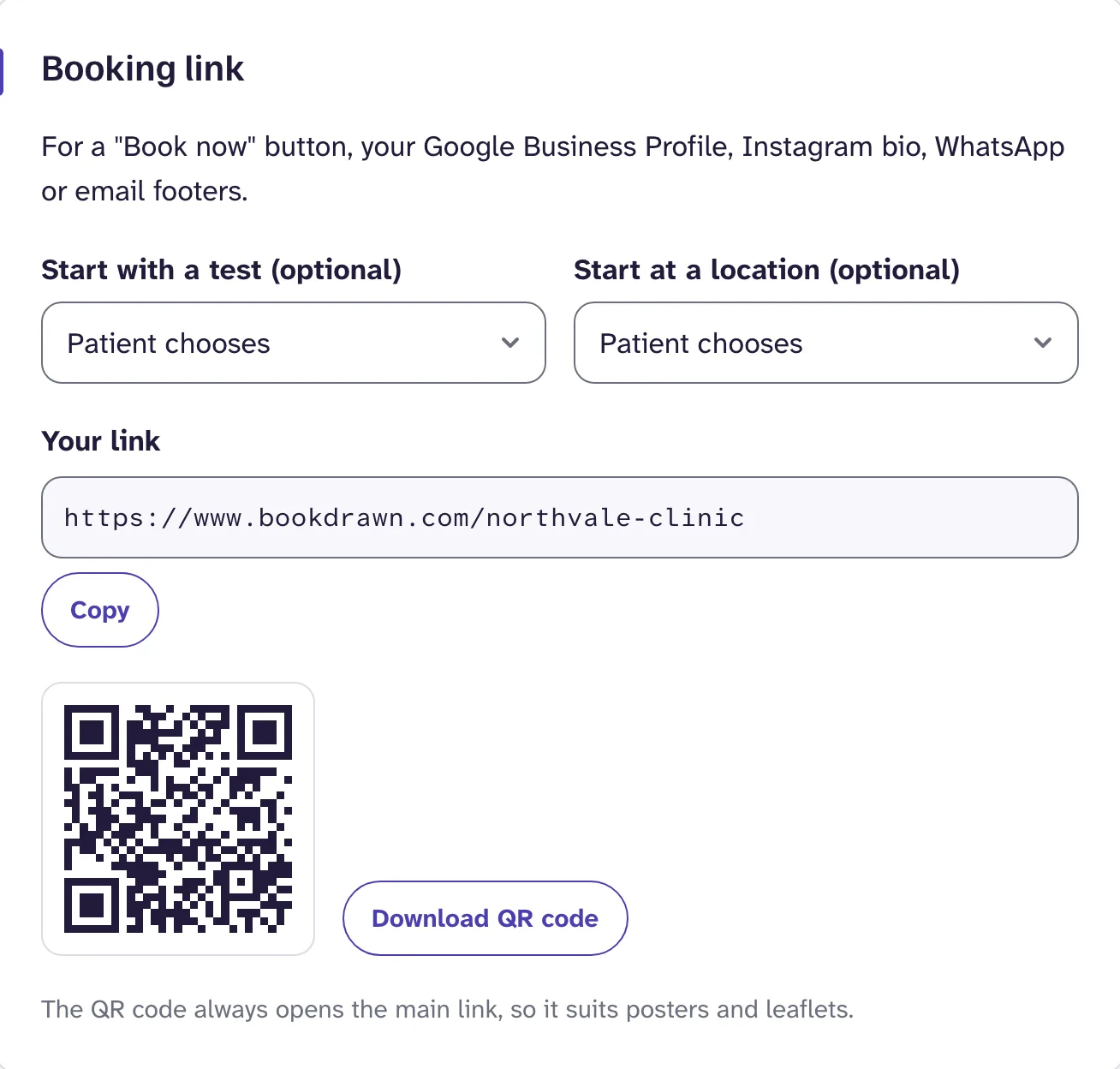
Open SettingsShare and press Copy under Your link. It works once your booking page is live.
Good places for it:
- a "Book now" button on your website,
- your Google Business Profile, as the booking or appointment link,
- your Instagram or Facebook bio,
- WhatsApp replies and email footers.
Start patients on a test or location#
Above the link, choose Start with a test or Start at a location. The link changes to open your booking page with that already chosen, so patients skip a step. It suits adverts for one test, or a page about one of your clinics.
Each test's own link is also in Tests. See Your test menu.
QR code#
Press Download QR code for an SVG file that prints sharply at any size. Use it on posters, leaflets, appointment cards and your reception desk.
The QR code always opens your main booking link. Patients scan it with their phone camera and land straight on your booking page.
Your own booking domain#
On the Group plan, patients can book at an address on your own website, such as book.yourclinic.co.uk, with no mention of Drawn in it.
- In Settings, Share, find Your own booking domain.
- Enter the address you want, and press Connect domain. A subdomain, like book.yourclinic.co.uk, works best: your main website stays exactly as it is.
- Drawn shows a record, with a type, name and value. Add it where you manage your domain, such as GoDaddy, 123 Reg, IONOS or Cloudflare. If you're not sure how, send the record to whoever looks after your website.
- Come back and press Check again. It says Working once the record is found. This is often a few minutes, and can take up to a day.
Good to know
Still stuck?
Email us and a real person will help. Guides last updated 3 November 2026.