Who is responsible for what#
Your clinic is the controller of your patients' data: you decide why it's collected and how it's used. Drawn is your processor, and handles it only on your instructions, as set out in our data processing agreement. Drawn treats all booking data as health data, and protects it to that standard.
Your privacy notice#
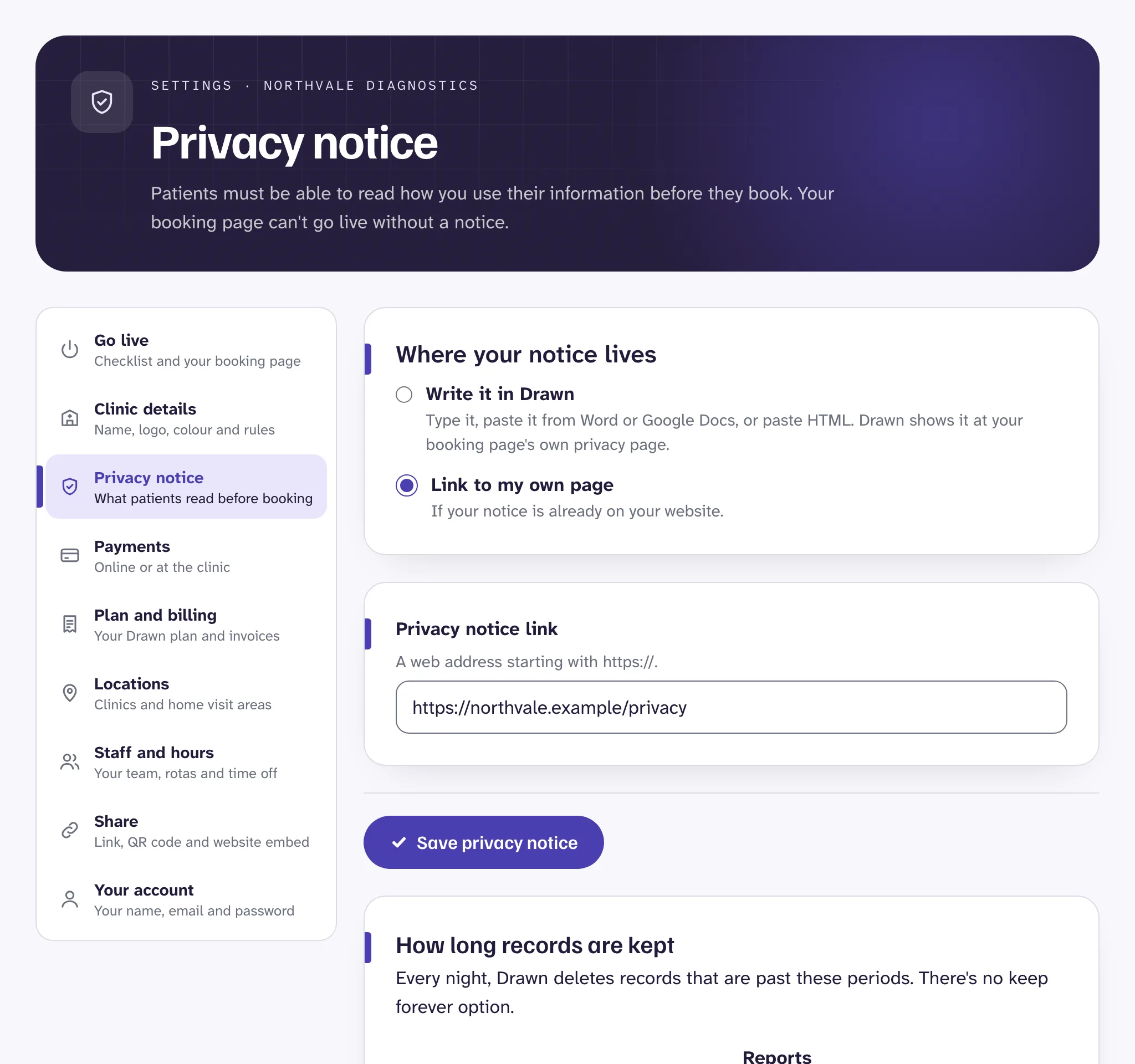
Patients must be able to read your privacy notice before they book, so your booking page can't go live without one.
- Open Settings, then Privacy notice.
- Choose Write it in Drawn, or Link to my own page if your notice is already on your website.
- Writing it in Drawn, start from the template and change it to fit your clinic, or paste your own from Word or Google Docs. Fill in everything the template marks for you to complete.
- Press Save privacy notice.
Good to know
Asking for less#
In Settings, Clinic details, two settings keep what you collect and send to a minimum:
- Show test names in emails is off to start with. Emails say "your appointment" instead, because inboxes are often shared or seen by others. Texts never show test names.
- Ask patients for their date of birth is off unless you need it. If you switch it on, write why. Patients see your reason on the booking form.
How long records are kept#
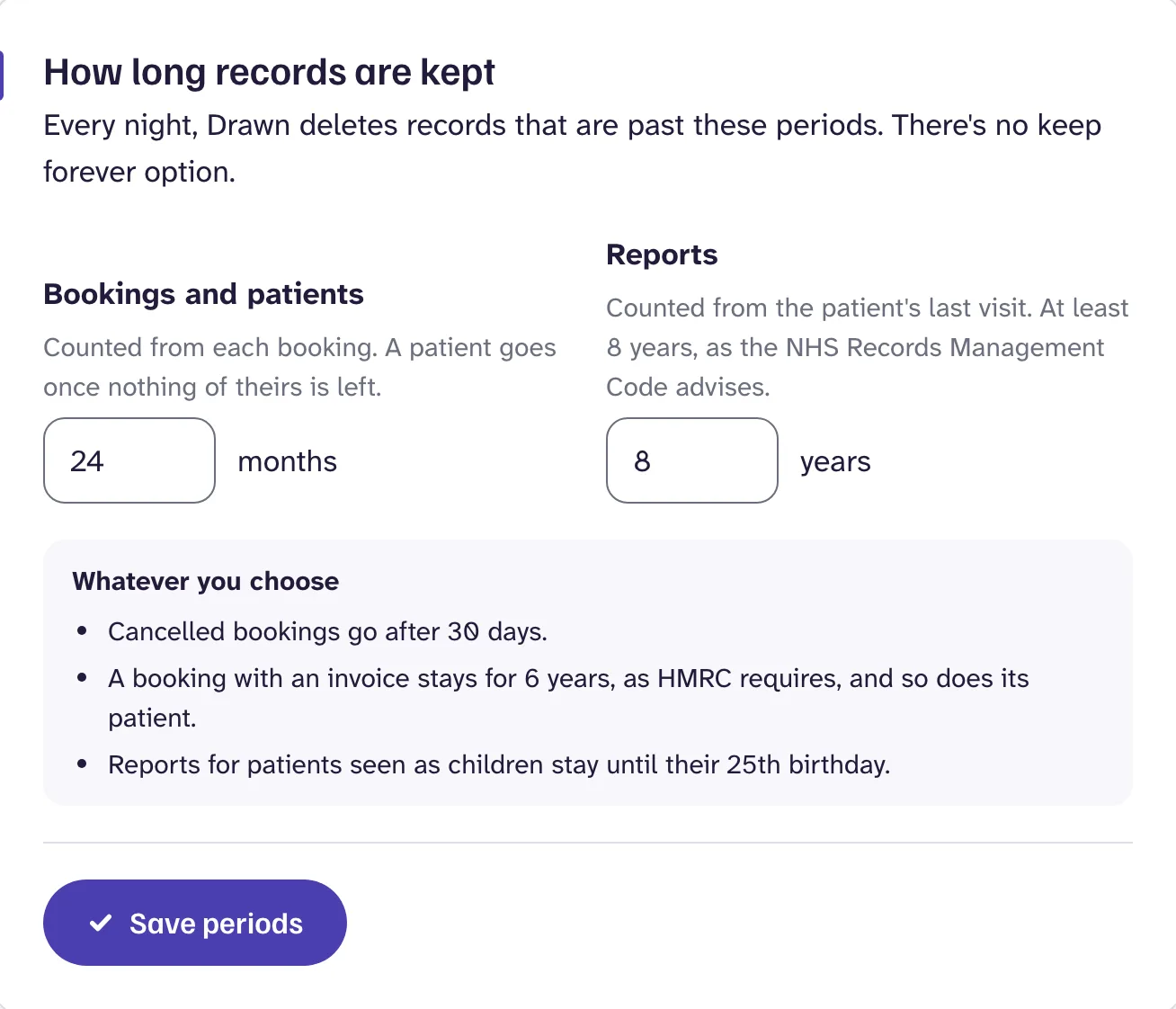
Set two periods in Settings, Privacy notice, under How long records are kept. Every night, Drawn deletes records that are past them. There's no keep forever option.
- Bookings and patients: between 1 and 120 months, counted from each booking. A patient goes once nothing of theirs is left.
- Reports: between 8 and 30 years, counted from the patient's last visit. At least 8 years, as the NHS Records Management Code advises.
Whatever you choose:
- cancelled bookings go after 30 days,
- a booking with an invoice stays for 6 years, as HMRC requires, and so does its patient,
- reports for patients seen as children stay until their 25th birthday.
Make sure your privacy notice gives the same periods.
When a patient asks about their data#
Patients can ask to see, correct, restrict or delete their data. You have one month to respond. Open their record in Patients, then Manage record. Reception and clinic admins can use it, and every action is logged.
| They ask to | Use |
|---|---|
| See their data | Printable copy for a copy to hand or post to them, or Export as JSON or CSV to email securely. |
| Correct it | Correct details, for their name, email and mobile. |
| Stop messages | Stop messages, to stop text reminders or marketing. |
| Pause use of their data | Restrict record. A restricted record can't be edited, and its reports can't be released, until you lift it. |
| Be forgotten | Delete record, for clinic admins. Their bookings, reports and comments go for good. Invoices stay, as tax law requires, with their name and contact details taken out. |
Patients can also see their bookings and released reports themselves, by signing in to the account area of your booking page with a code sent to their email.
Still stuck?
Email us and a real person will help. Guides last updated 3 November 2026.