Roles#
Each person has one or more roles. Give people only what their job needs.
| Role | What they can do |
|---|---|
| Clinic admin | Changes settings, staff, payments and your Drawn plan. Books walk-ins. |
| Clinician | Sees patients and their reports. Uploads, comments on and releases results. Edits the test menu. |
| Reception | Manages bookings and patient details. Books walk-ins. |
| Phlebotomist | Sees their own day plan and records their visits. |
Only clinicians see reports. If someone else needs them, such as a receptionist who handles lab queries, tick Can see patients' reports and write why. Drawn logs it.
Add someone and invite them#
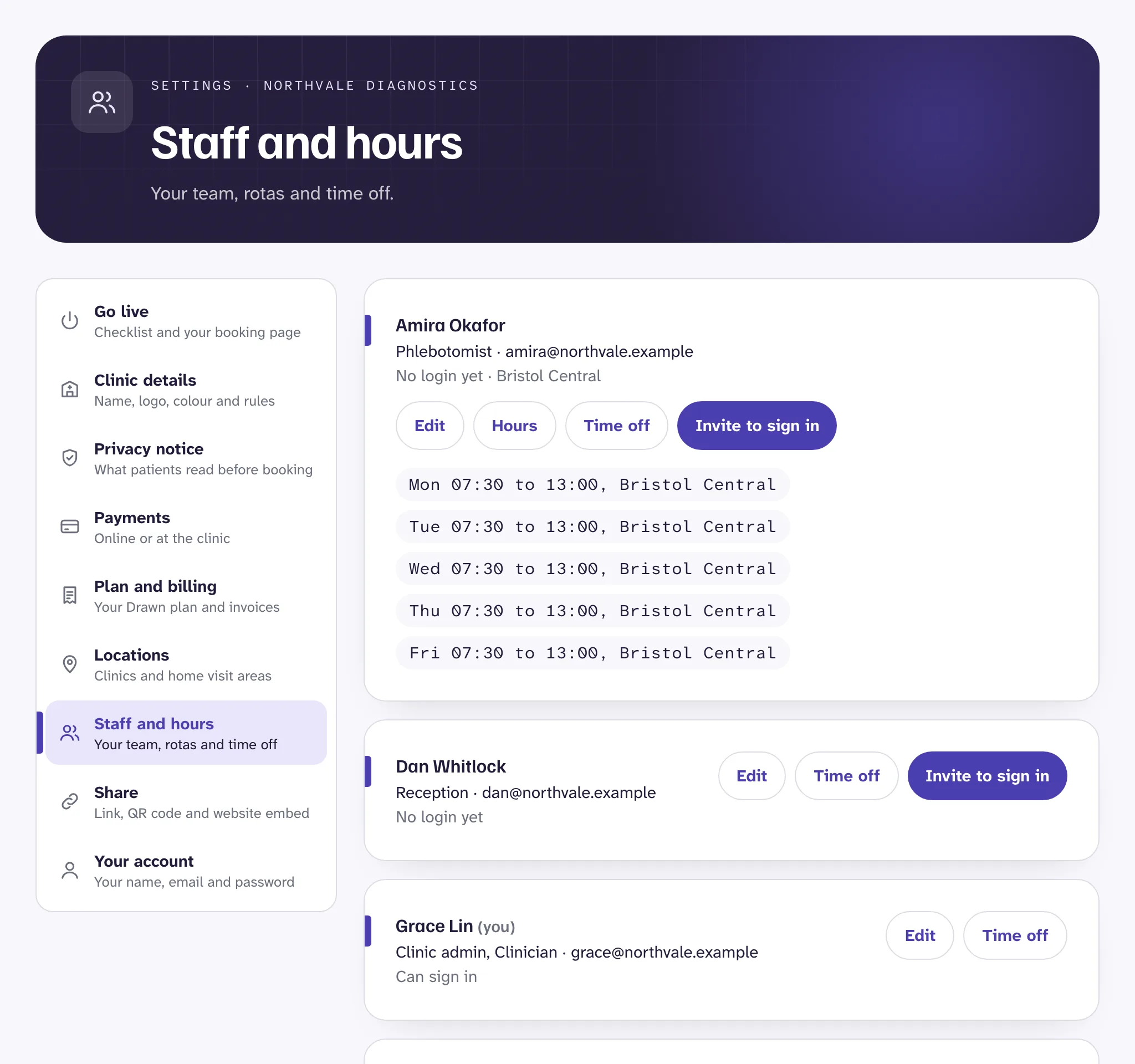
- Open Settings, then Staff and hours.
- Press Add a staff member. Enter their name, their own work email, their roles and where they work.
- Tick Does home visits if they go out to patients.
- Save, then press Invite to sign in. They get an email to set up their login.
You can add someone without inviting them. They can still have hours, so patients can book with them, but they can't sign in. Everyone signs in with their password and a six-digit code sent to their email.
Good to know
Weekly hours#
Patients only see times when somebody is working. Hours are what make your booking page fill with times.
- In Staff and hours, press Hours beside the person.
- Add a row for each day they work: the day, the location, and when they start and finish.
- Add a second row for the same day if they work a split shift, or at two locations.
- Press Save hours.
How the hours are split into times, and the gaps between appointments, are set in Settings, Clinic details, under Booking rules.
Time off#
Press Time off beside the person, then choose the first and last day. Patients aren't offered their times on those days.
Bookings already made on those days stay. Open each one from Today and offer the patient new times. See Bookings and walk-ins.
When someone leaves#
Edit their details and untick Active. They can no longer sign in, and patients can't book with them. Their past bookings stay. Switching someone off also frees up a place on your plan.
Still stuck?
Email us and a real person will help. Guides last updated 3 November 2026.