Patient records#
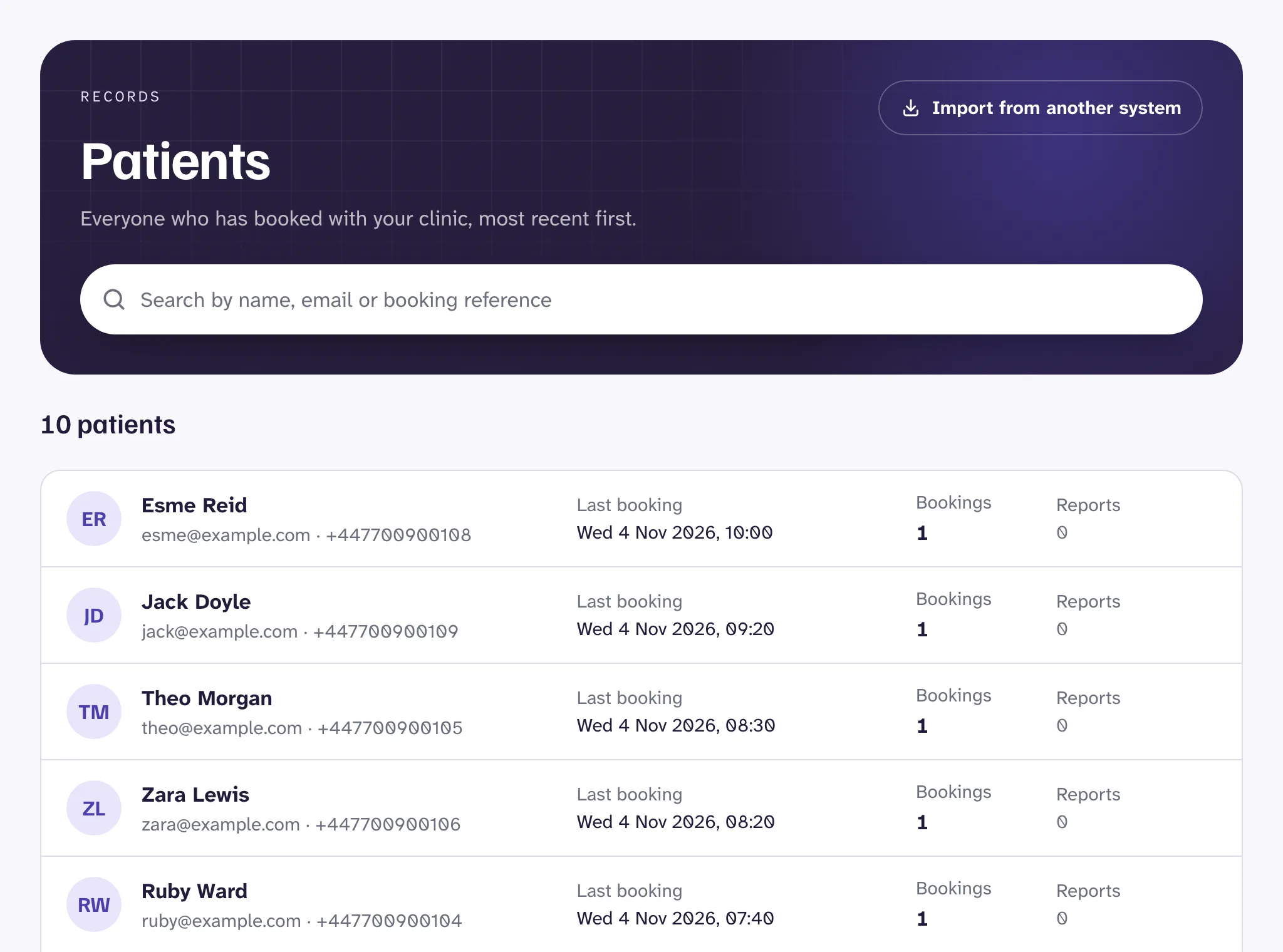
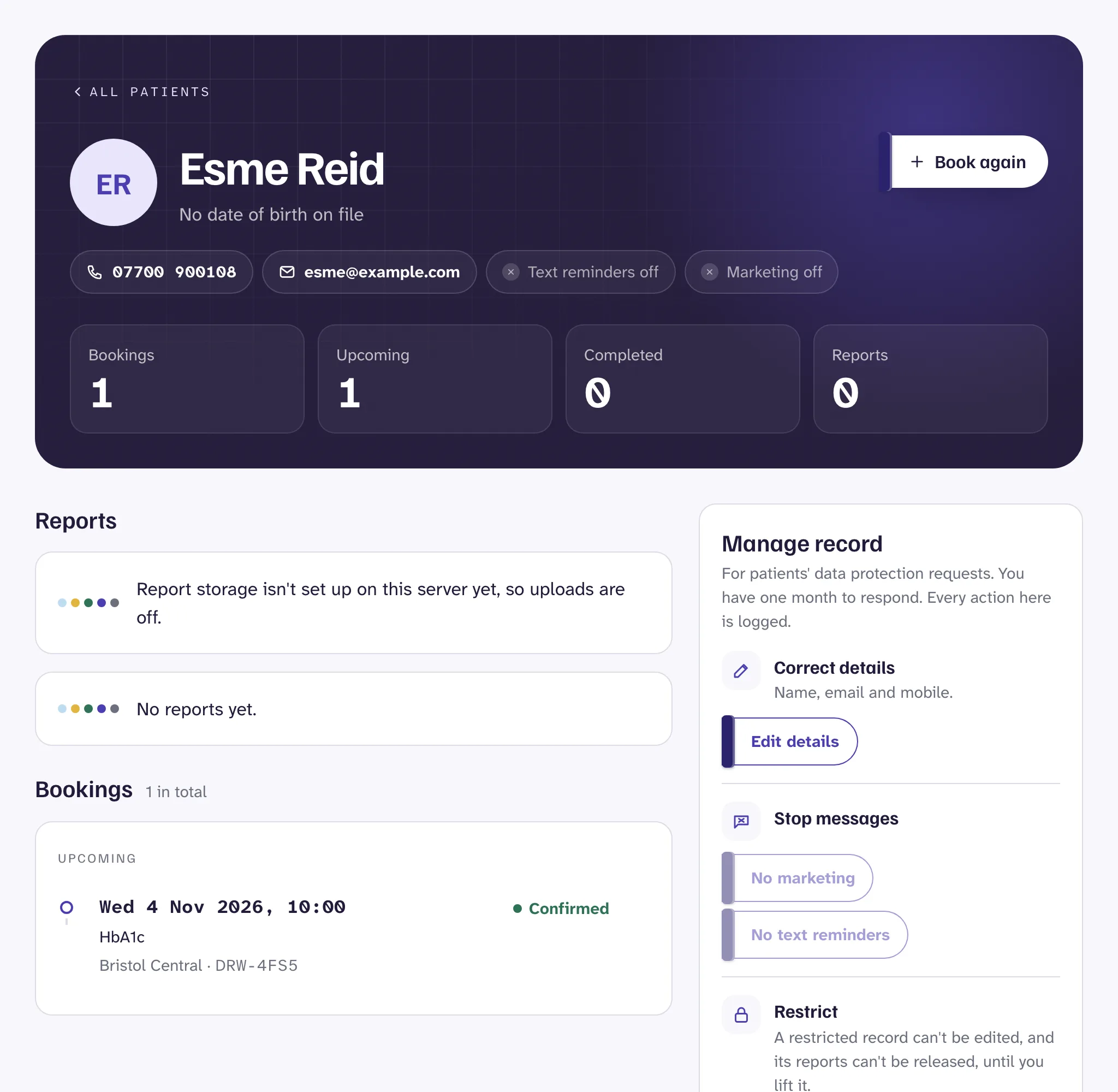
Open Patients and search by name, email or booking reference. Each record shows the patient's details, their bookings, and, for clinicians, their reports.
A patient gets a record the first time they book, online or at the desk. When they book again with the same name and email, the new booking joins the same record.
Upload a report#
Clinicians, and anyone given access to reports, can upload a lab report to a patient.
- Open the patient's record.
- Under Upload a report, choose the lab's PDF. It can be up to 20 MB.
- Choose the booking it belongs to, if there is one.
- Press Upload. Drawn checks the file is a plain PDF before saving it.
The report starts as a Draft. Only clinicians can see it, and the patient can't. Uploaded the wrong file? Press Delete draft.
Release results to the patient#
- When the report and your comments are ready, press Release to patient.
- Check the email address shown, then confirm.
The patient gets an email saying their results are ready. The email never says what the results are. To see them, the patient signs in to your booking page's account area with a code sent to their email, then opens or downloads the report.
Watch out
Data protection requests#
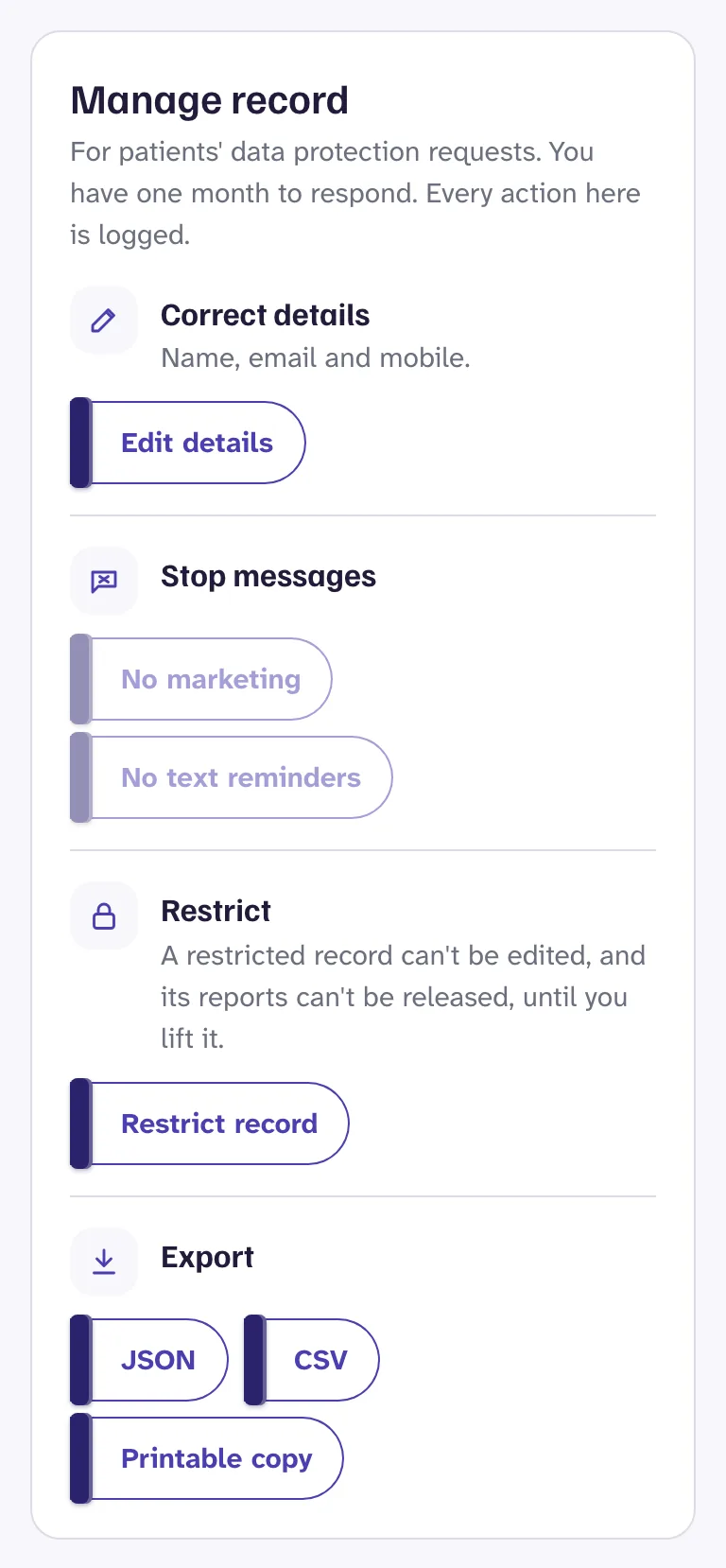
Reception and clinic admins can correct a patient's details, export or print their record, restrict it, or delete it, under Manage record. See Privacy and patient data.
Still stuck?
Email us and a real person will help. Guides last updated 3 November 2026.
Add comments#
Write what the results mean for the patient, in plain words, then press Add comment. The patient sees your comments with the report once it's released.
Comments can't be edited afterwards, so the record stays accurate. To correct one, add another.
Full blood count, Ava Thompson.pdf
Uploaded Tue 3 Nov 2026, 10:12 by Dr Amira Okafor
475 KB· for DRW-CP2D
CommentsSeen by the patient once released
Dr Amira Okafor · Tue 3 Nov 2026, 10:20
Your full blood count is within the normal range. Nothing to follow up. Any questions, just call us.
Only clinicians can see this draft.