Add tests from the gallery#
The gallery has ready-written tests, with what each one measures, how to prepare and what it can't tell you. It saves a lot of typing.
- Open Tests, then the test gallery.
- Search for a test or a biomarker, such as ferritin, and tick the ones you offer.
- Set your price for each. Clinics charging in pounds start with a suggested price filled in.
- Press Add. They join your menu straight away, and you can change any of the wording.
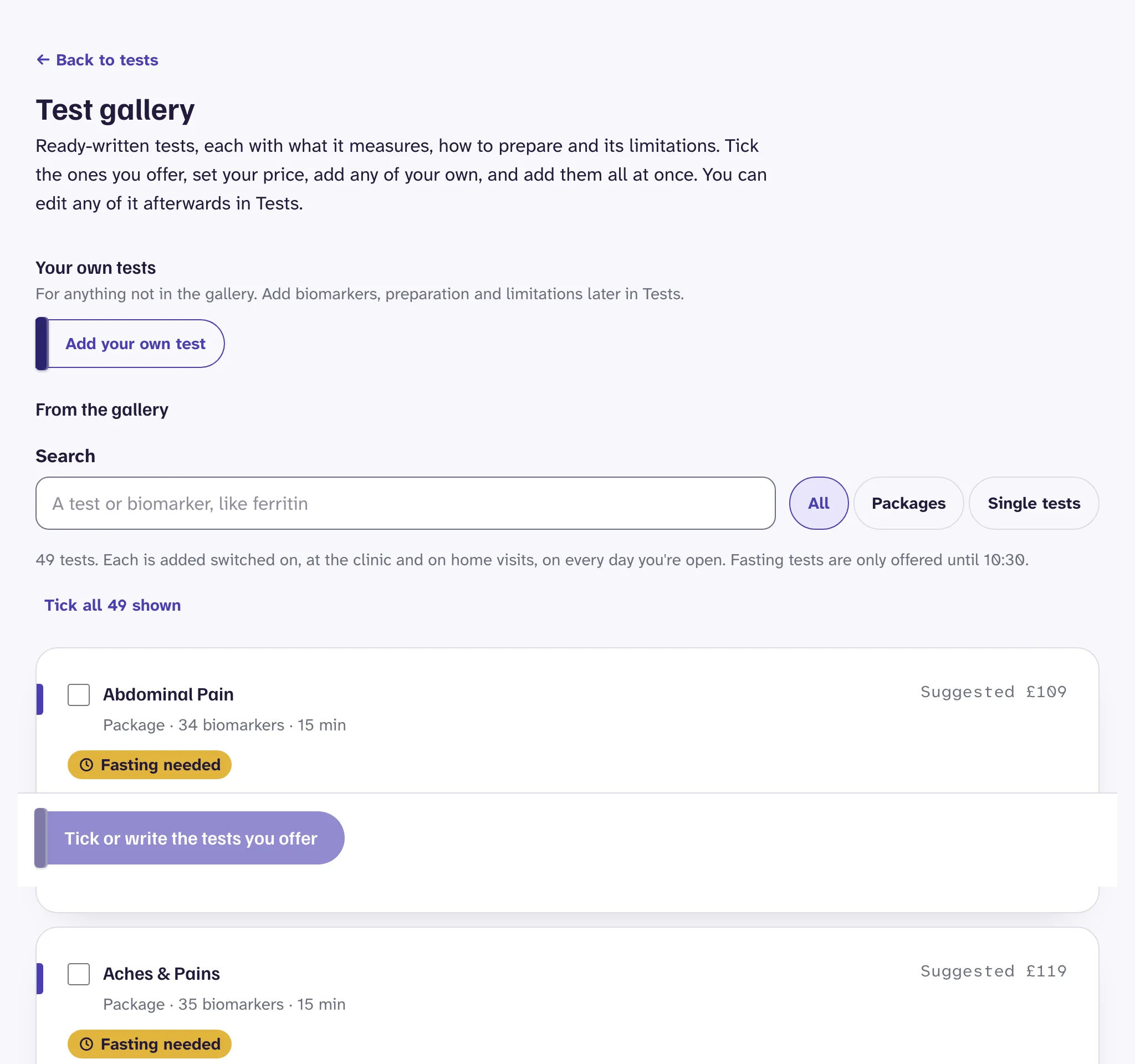
For anything that isn't in the gallery, use Your own tests on the same page, or Add your own test in Tests.
What each test has#
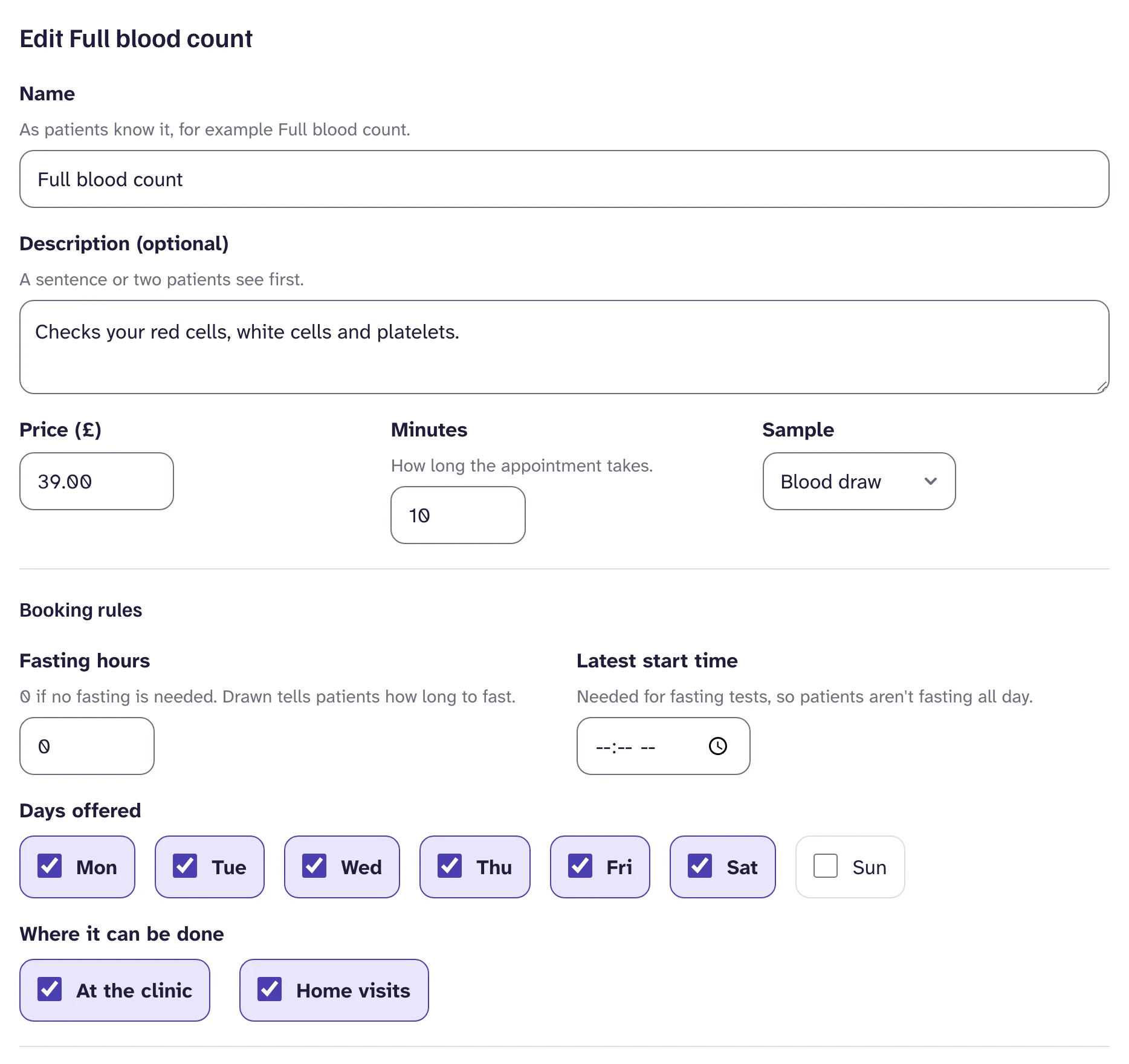
- Name and description. Use the name patients know, such as Full blood count. The description is a sentence or two they read first.
- Price and minutes. The minutes are how long the appointment takes. When a patient books more than one test, Drawn adds the extra time per test you set in Settings, Clinic details.
- Sample. A blood draw or a finger prick.
- What we measure. The biomarkers, each with a line in plain words, such as "carry oxygen around your body".
- How to prepare. Numbered steps, such as "Wear a top with loose sleeves". Leave fasting out: Drawn adds that step itself.
- What this test can't tell you. One point per line, so patients know what to expect.
What patients see
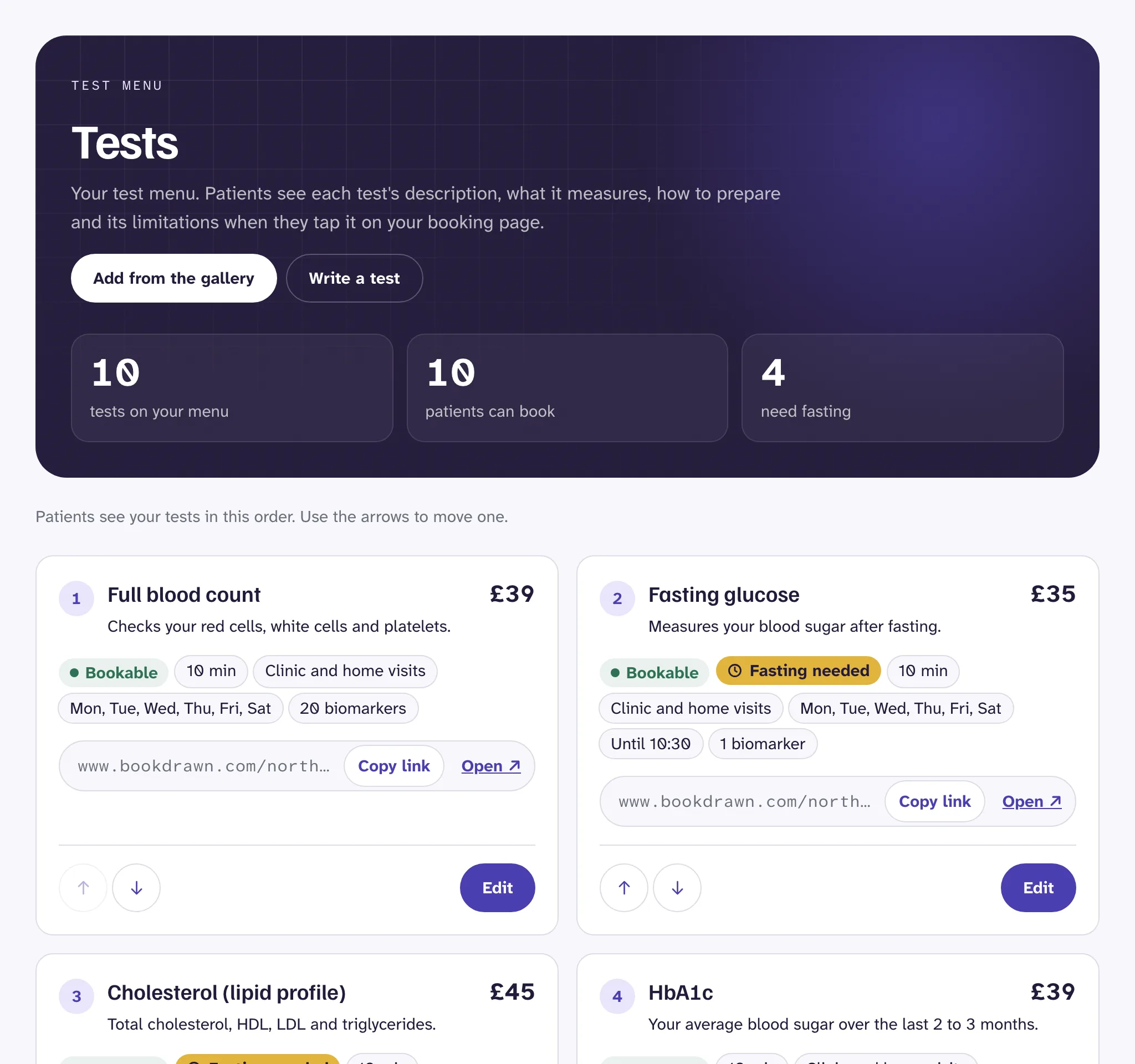
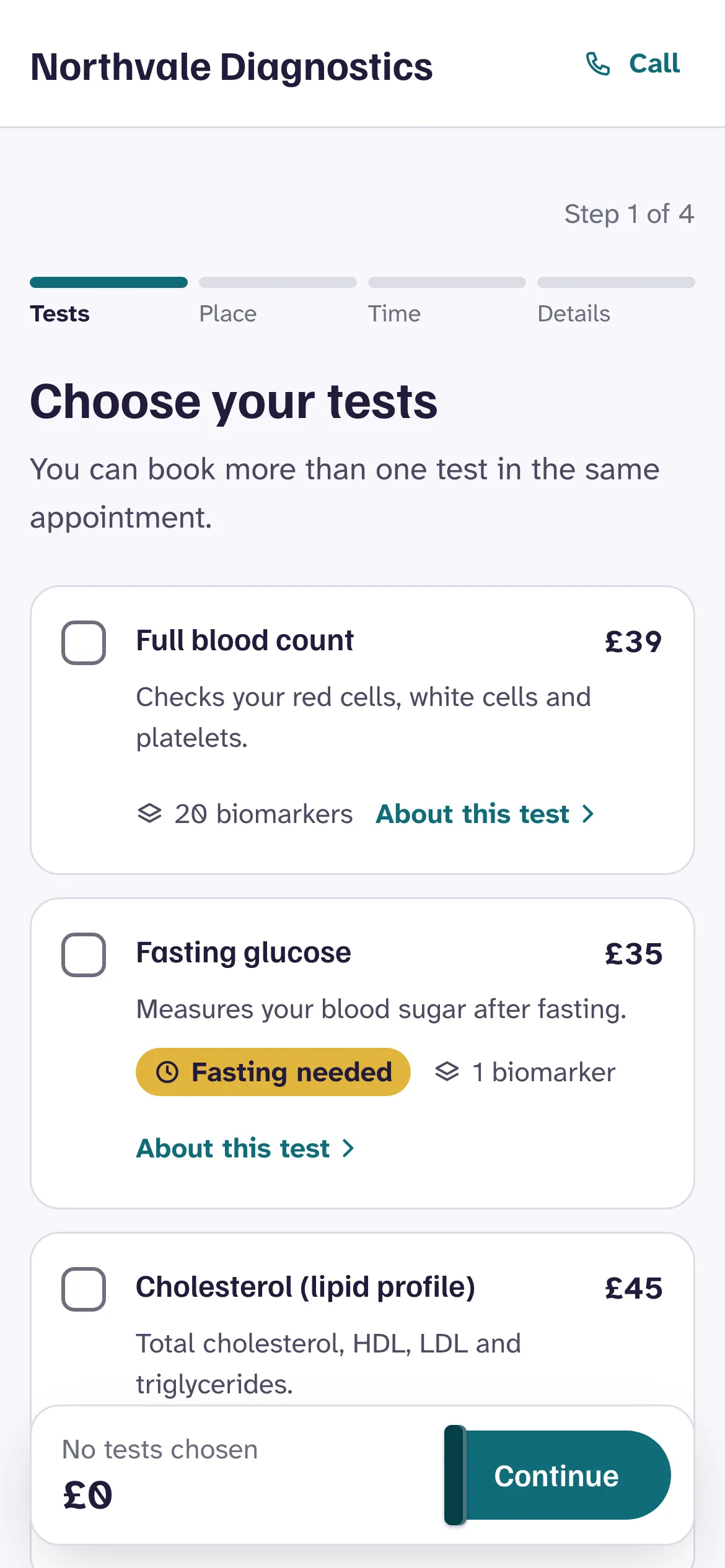
Each test shows its price and description, how many biomarkers it measures, and a Fasting needed tag when it has fasting hours. About this test opens the rest: what it measures, how to prepare, and what it can't tell you.
Patients see your tests in the order they appear in Tests. Use the arrows beside each one to move it.
Fasting tests#
Set Fasting hours to how long patients must go without food. Leave it at 0 for tests that don't need fasting.
For a fasting test, also set a Latest start time, such as 10:00. Patients are only offered times before it, so nobody fasts all day. Their confirmation and reminder email tell them when to stop eating.
Good to know
Days and places#
Under Days offered, untick any day a test isn't available. Under Where it can be done, choose at the clinic, on home visits, or both. Patients only see a test at places that offer it.
To stop a test being booked without deleting it, untick Patients can book it. Bookings already made for it stay.
A booking link for each test#
Every test in Tests shows its own booking link, with Copy link and Open buttons. The link opens your booking page with that test already chosen, so patients go straight to place and time.
Put these on a test's page on your website, in emails or in adverts. If you switch a test off, its link shows your full menu instead.
To show the booking form with a test already chosen inside your website, see Add booking to your website.
Still stuck?
Email us and a real person will help. Guides last updated 3 November 2026.