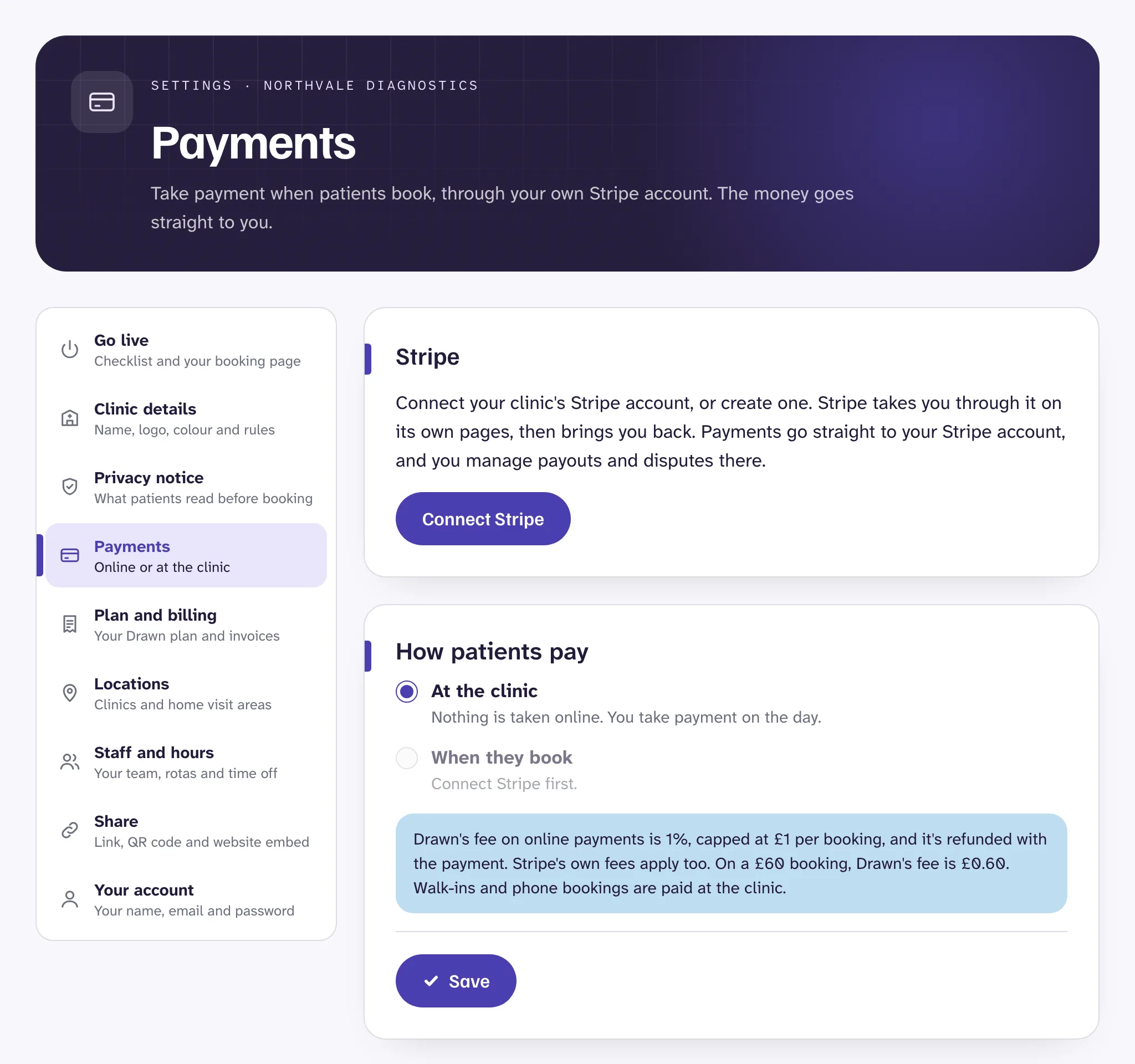
At the clinic, or when they book#
Open Settings, then Payments, and choose under How patients pay:
- At the clinic. Nothing is taken online. Patients pay you on the day, however you take payment now. This is where every clinic starts.
- When they book. Patients pay by card, Apple Pay or Google Pay as they book. You need to connect Stripe first.
Walk-ins are always paid at the clinic.
Connect Stripe#
Online payments go straight into your own Stripe account. Drawn never holds your money.
- In Payments, press Connect Stripe.
- Stripe asks for your business and bank details, and sets up a Stripe account for your clinic, with its own Stripe dashboard.
- Stripe brings you back to Settings. It usually checks your details within a few minutes.
- Once it says Stripe is connected, choose When they book and save.
If Stripe needs more from you, the page says so. Press Finish setting up on Stripe to carry on where you left off.
What patients see#
After choosing a time and entering their details, patients press Continue to payment and pay on Stripe's secure page. Their time is held for 30 minutes while they pay. If they don't finish, the time is freed for someone else.
Paid bookings show in your dashboard with how much was paid. Drawn emails the patient an invoice as a PDF, and sends you a copy. You can also download it from the appointment.
Set the business name and address on invoices, and add details such as your company or VAT number, under Invoices in the same page. Changes apply to new invoices.
Refunds#
- Patients who cancel online, within your cancellation window, are refunded in full automatically.
- When you cancel a paid booking, Drawn refunds it in full unless you untick the refund, for example for a late cancellation. See Cancel a booking.
- For a part refund, or a refund later on, use your Stripe dashboard.
Fees#
Drawn's fee on online payments is 1% of each payment, and never more than £1 a booking (or €1, or $1, in your currency). When a payment is refunded, so is our fee. Stripe's own card fees apply as well.
Payments at the clinic have no Drawn fee.
Stop taking payment online#
Choose At the clinic and save. To unlink Stripe altogether, press Disconnect Stripe at the bottom of the page.
Good to know
Still stuck?
Email us and a real person will help. Guides last updated 3 November 2026.